Job costing · Operations · QuickBooks connected
Software built around how your shop runs.
Custom operations systems for grading, excavation, and site work contractors. Jobs, cost codes, budget versus actual by scope, crew and equipment hours, all in one place and tied into QuickBooks so nothing gets keyed twice. Not a subscription. Built for your workflow. You own it when it's done.
Scope of work
What it covers
-
Job costing by scope
Budget versus actual on every cost code. Earthwork, pipe, walls, hauling, tracked while the job is running, not months after closeout.
-
One system instead of five
Jobs, time, equipment, purchasing, and billing in one place. The spreadsheets retire. The Friday stitching stops.
-
QuickBooks stays
Your books don't move. The system syncs directly with QuickBooks, so the office keeps the tools they know and nobody enters anything twice.
-
You own it
Fixed fee build, not a monthly seat license. The software and the data are yours. If we ever part ways, everything stays with you.
See it
What it actually looks like
The real system, loaded up with a sample contractor's jobs and crew. Every name and figure below is made up. None of it is a real customer's numbers.
-
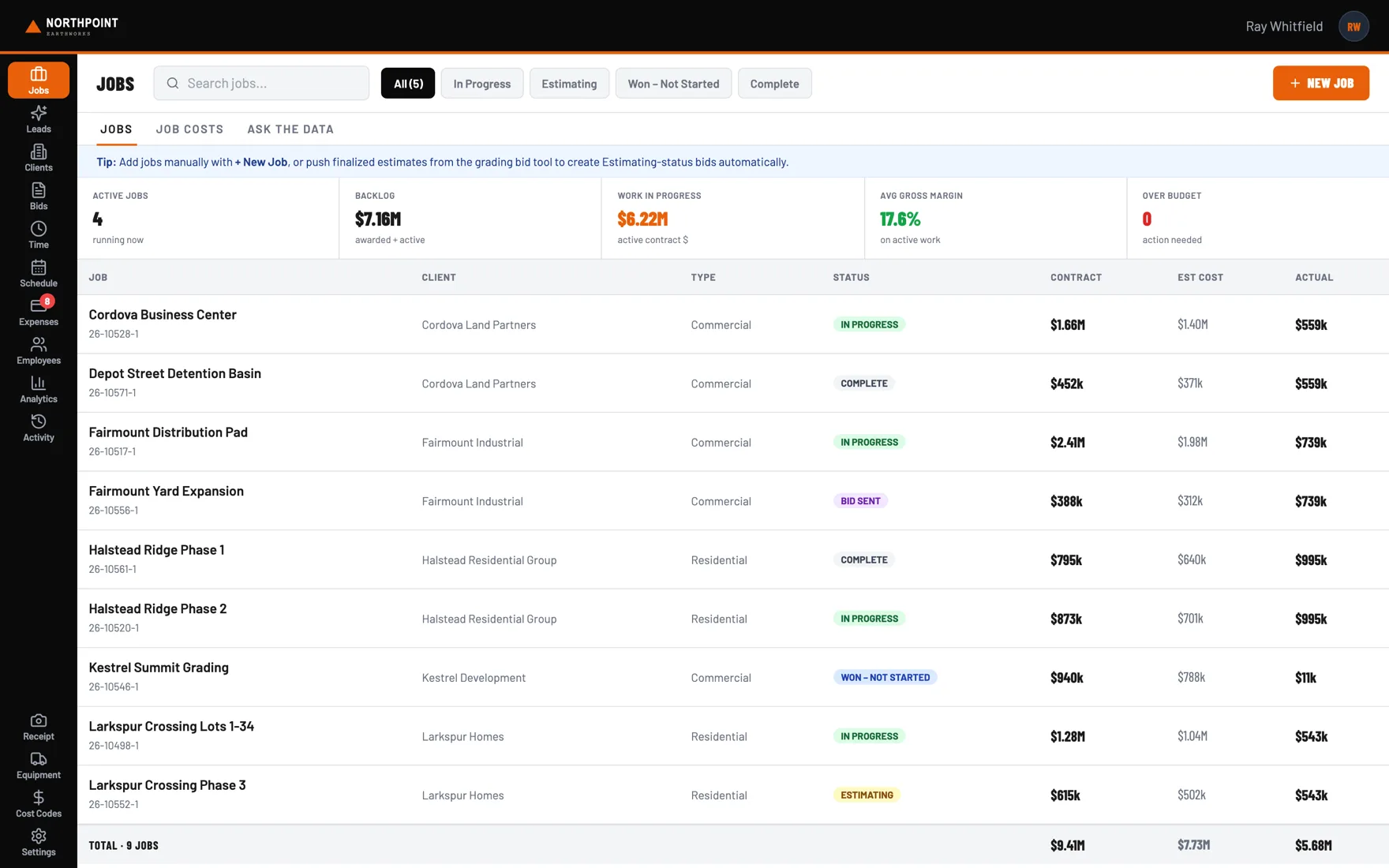
Every job, with the money on the same line
Contract, estimate and actual sitting side by side, from estimating right through closeout. Backlog and work in progress just add up what's on the board, so nobody's keeping a separate spreadsheet.
-
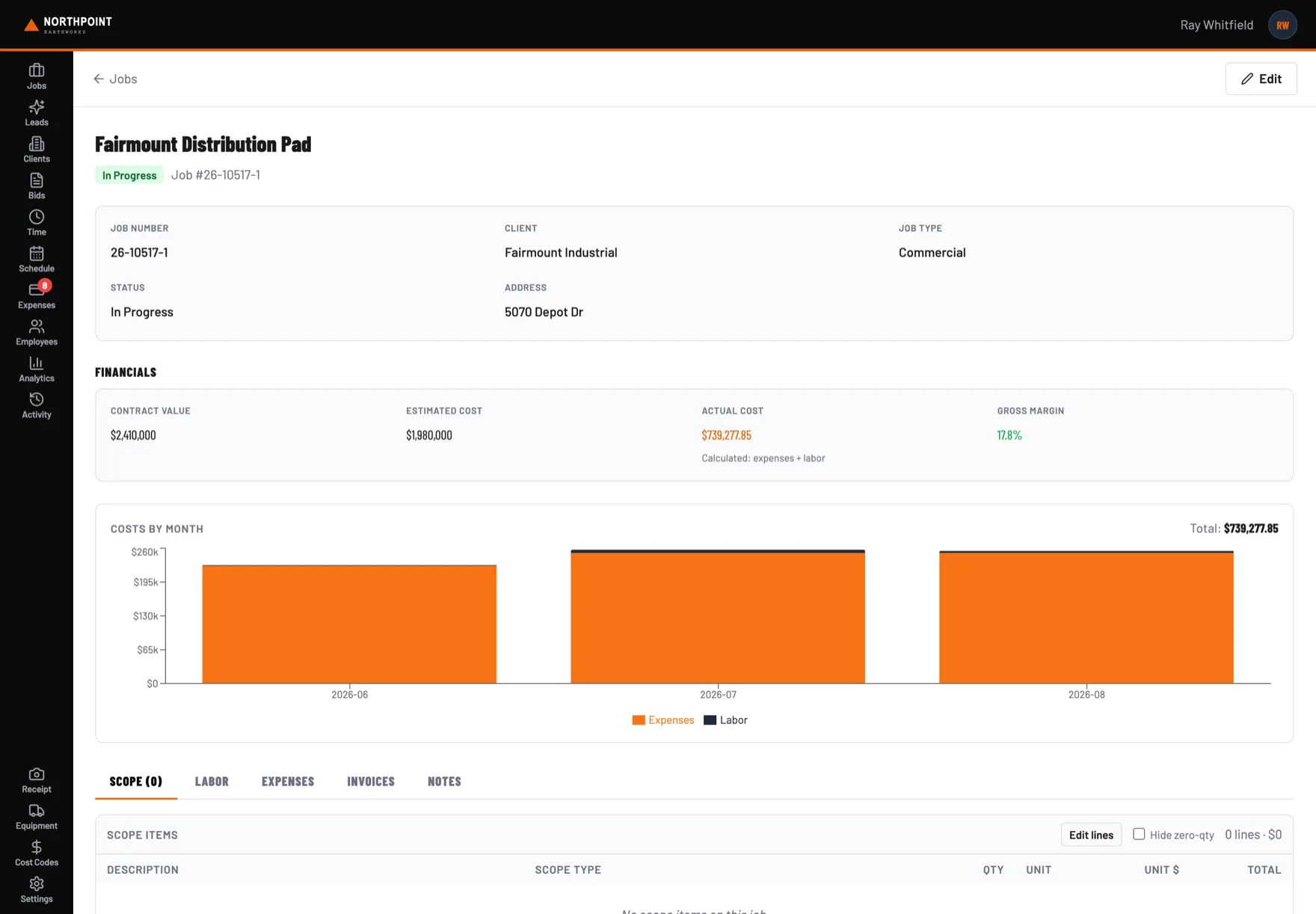
Budget against actual while the crew is still on it
Actual cost comes straight from the expenses and hours already coded to the job, so the margin on screen is the margin right now, not what it looked like at closeout months later.
-
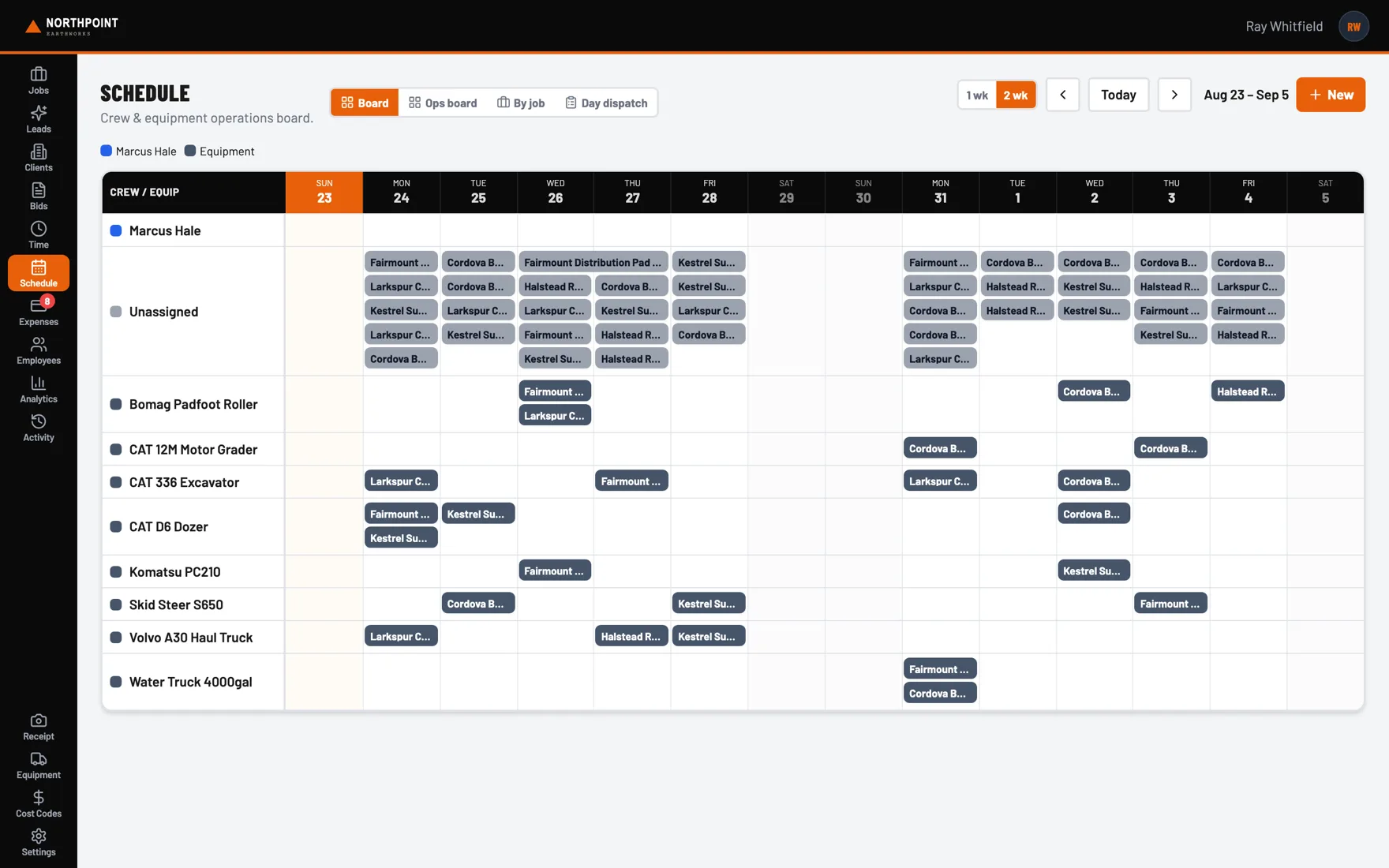
Who and what is where, two weeks out
Crew and machines assigned by day and by job. The same assignments feed the field app, so nobody's working off a photo of a whiteboard.
-
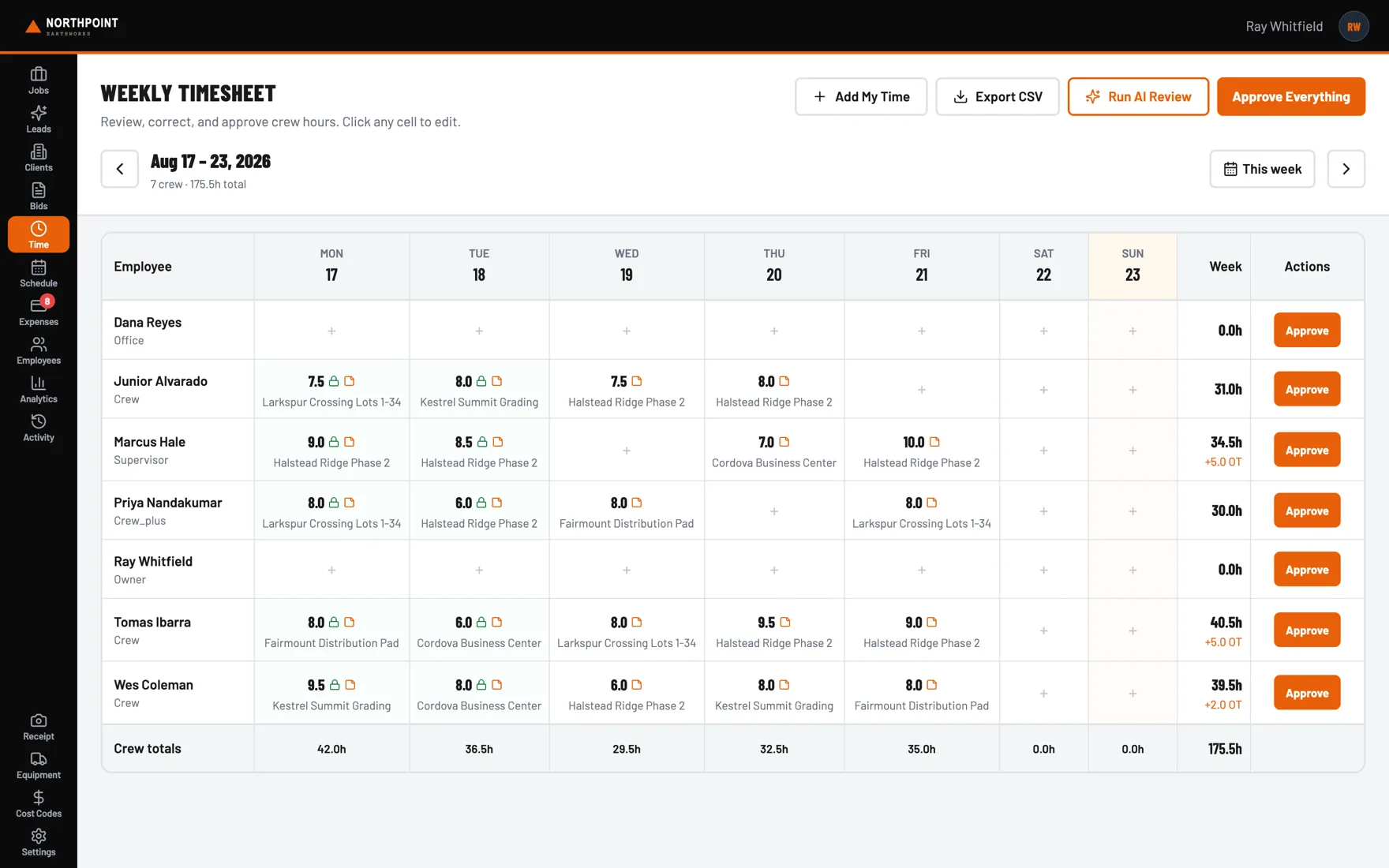
Hours reviewed once, then they're done
A week of crew time on one grid, editable right there. Approve it and the job and cost code ride along into payroll. Nothing gets typed twice.
-
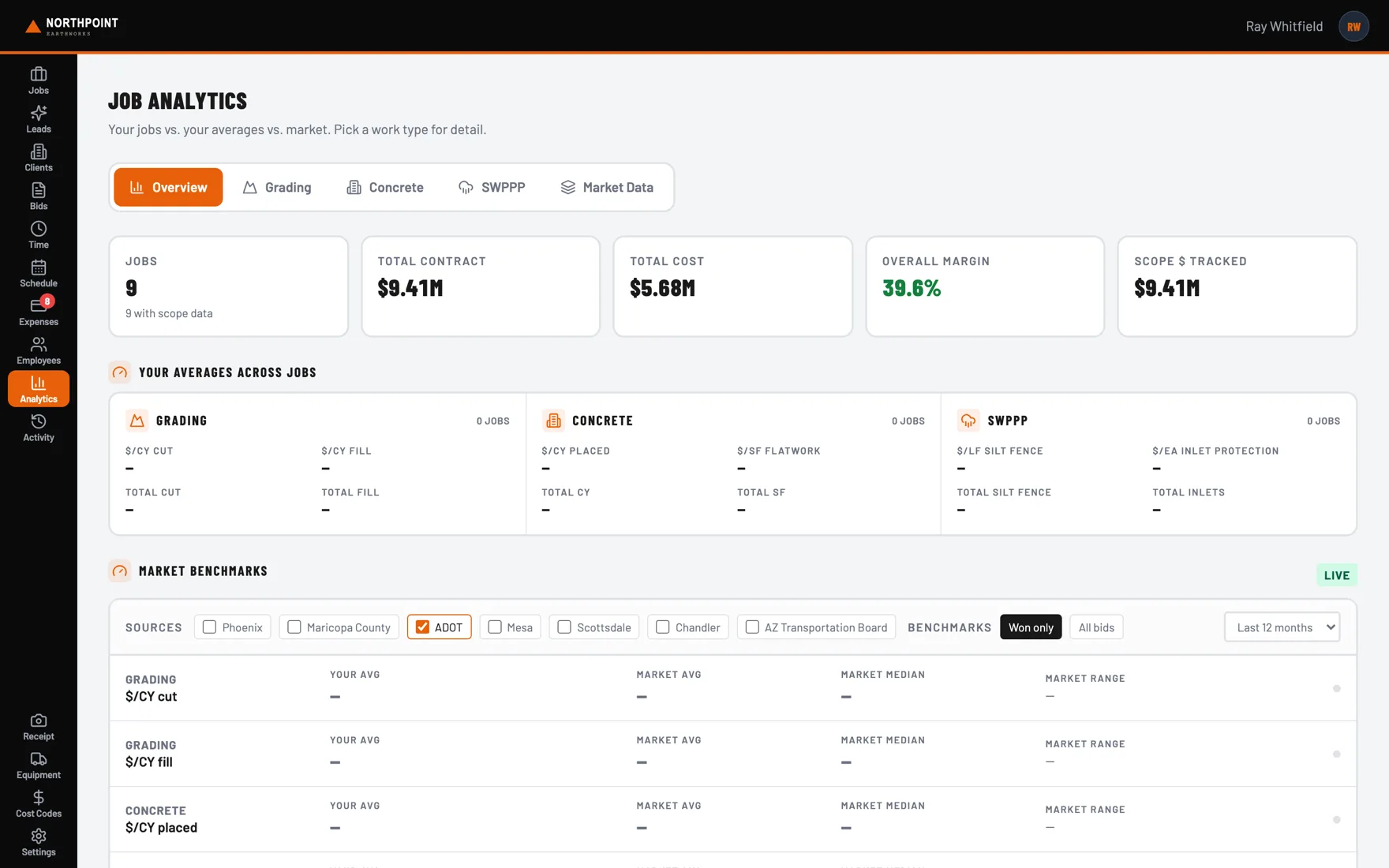
Your own history as the benchmark
What grading actually costs you per unit, by job and against your own average. That's the number that lets you stand behind the next bid.
Screenshots show sample data
Built and proven in the field
The Devco Dirtworks build
Coresight spent over a year inside Devco Dirtworks, a Phoenix grading and site work contractor, building their operations platform from the ground up. Estimating through closeout, running every day on live jobs.
| Item | Description | Status |
|---|---|---|
| Job & cost code tracking | Every job broken out by scope with live budget vs. actual | In production |
| QuickBooks sync | Two way connection to QuickBooks Desktop, no rekeying | In production |
| Bid pipeline | Invitations to bid captured and tracked automatically from email | In production |
| Time & equipment | Crew hours and equipment charged to the right job and scope | In production |
| Takeoff and estimating | Plan set in, priced estimate out, with the source of every number shown | In progress |
"Before this we found out what a job made months after it closed. Now I can pull up any job and see budget against actual by scope while the crew is still on it. Nothing gets typed twice and QuickBooks just stays in sync."
"Two-day bids dropped to under an hour, and we didn't have to add an estimator. The bid tool is the office hire we didn't make."
Who you're dealing with
Karthik Alagugurusamy
I don't come from a software company. I started in corporate analytics, then spent years running low voltage and AV installation crews. Now I build operations software for contractors from north Phoenix.
I build the systems myself and I stay on them. When you call, you get the person who wrote the code. Not an account manager. Not a ticket queue.
Get in touch
Twenty minutes. Not a demo. Tell me how you run it first.
Call any time. If I'm on a site or heads-down building, leave a message and you'll hear back the same day.